Paranormal researchers use Electronic Voice Phenomenon (EVP) quite often. As you likely know, EVP is often used to communicate with entities that can’t communicate through traditional means. They imprint their voices or sounds onto audio recordings. These EVP recordings often contain faint, disembodied voices. Other sounds in these recordings may not be audible to the investigators while they are recording.
One of the applications that paranormal investigators often use to review their EVP material is the WavePad Sound Editor. When reviewing this material, we often encounter a problem – after posing a question to an entity, and waiting for a response, what we hear next may be very low or unclear. It may sound more like noise than a verbal response. If it is a word, it can be difficult to discern exactly what word that is. Different investigators will often give different interpretations for the same EVP response.
So, naturally you would think that we should crank up the volume so we can hear it better, right? Well, that works great for the next second or two while you’re listening to the “response”, but then the next Investigator question comes along and busts your eardrums because you forgot to lower the volume again. We’ve all done it.
In this blog post, we will give you some tip for isolating and enhancing parts of your audio so that you can maximize your efforts at listening to possible EVP responses without damaging your hearing.
Importing and Selecting the Audio Clip:
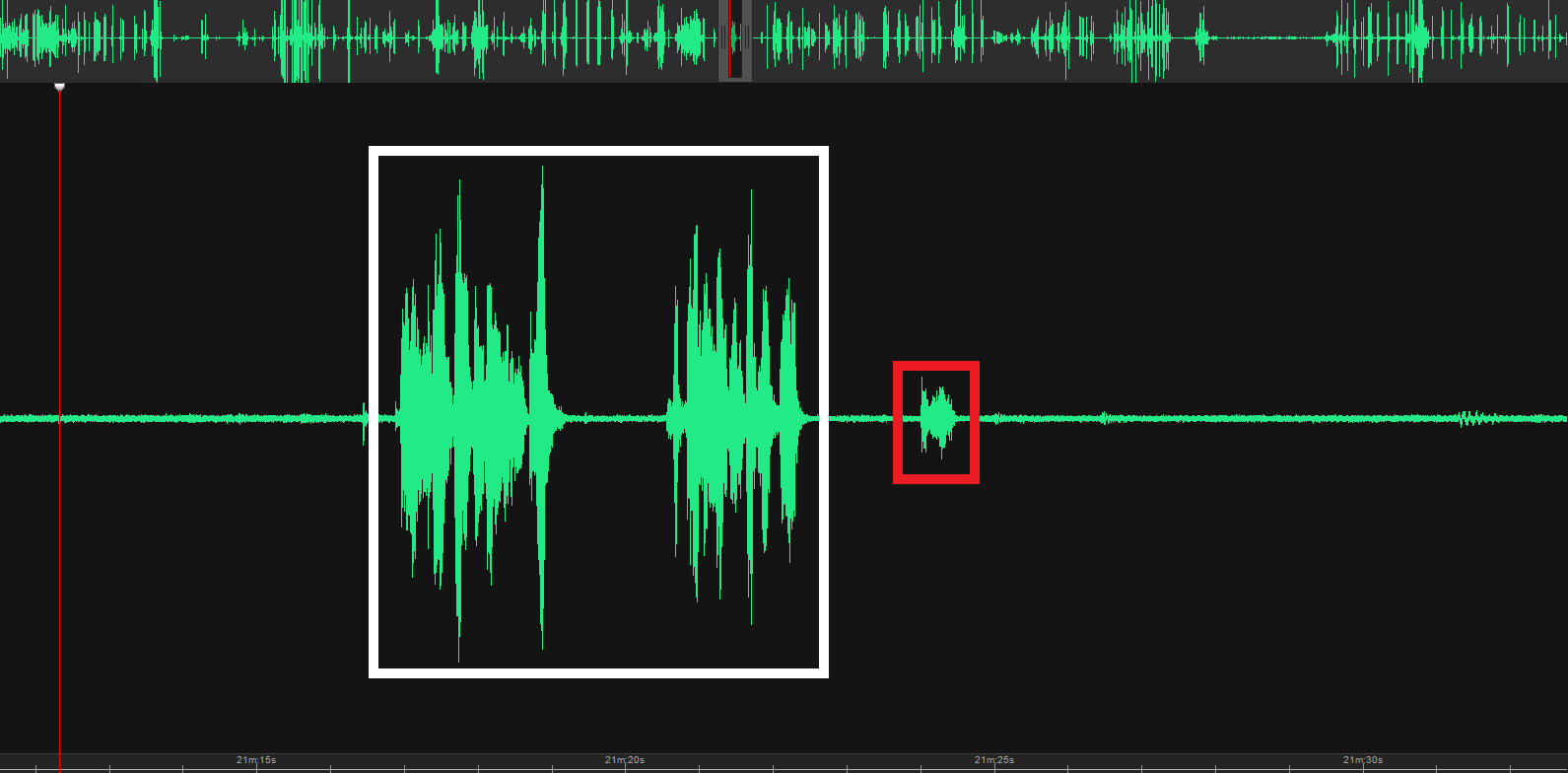
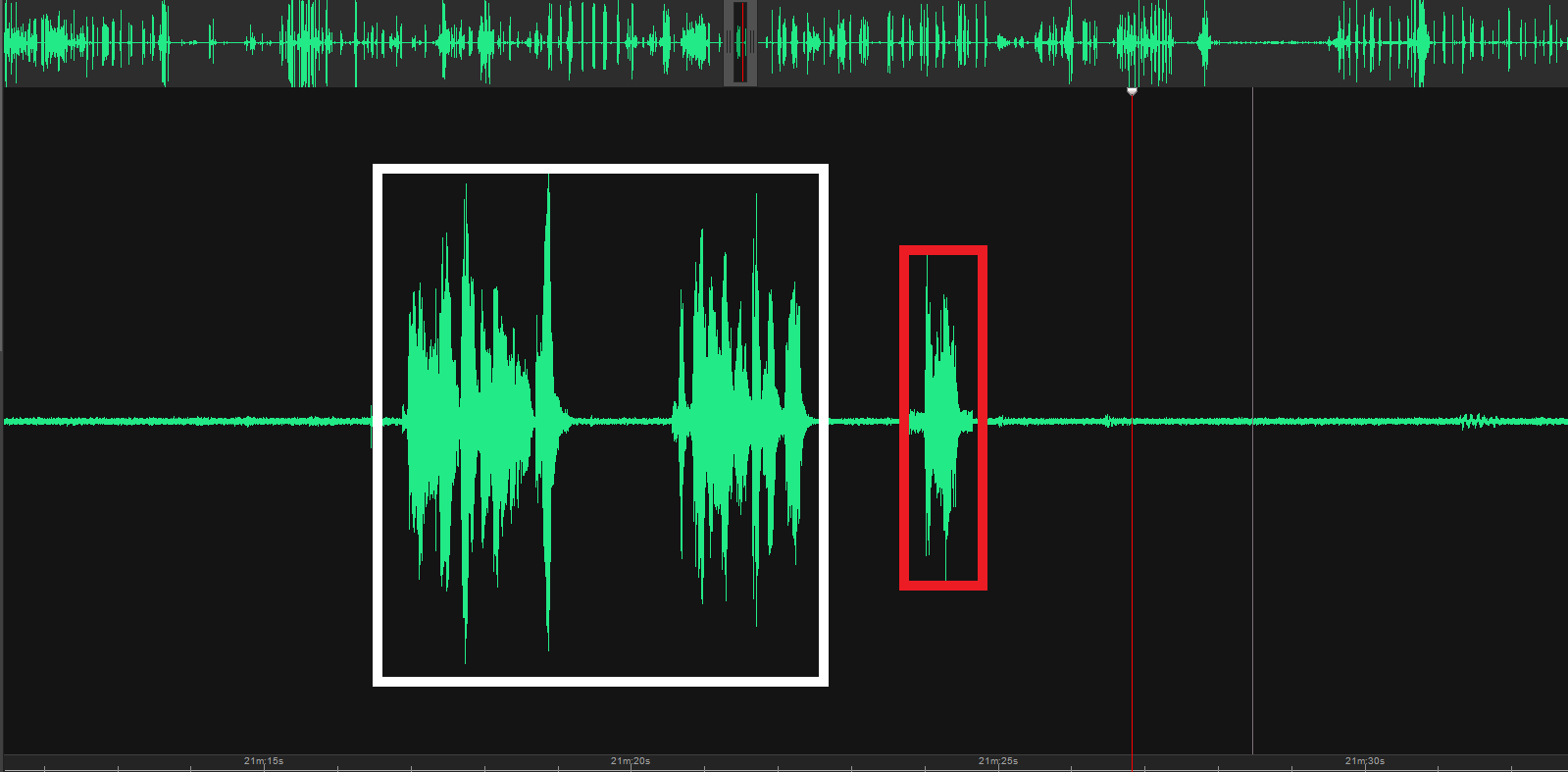
To begin isolating a sound clip, import your audio file into WavePad Sound Editor. Once imported, you can visualize the audio waveform and easily navigate to the desired section. It will look something like this, with the investigator’s questions to the left highlighted in white, and the unclear response to the right in red:
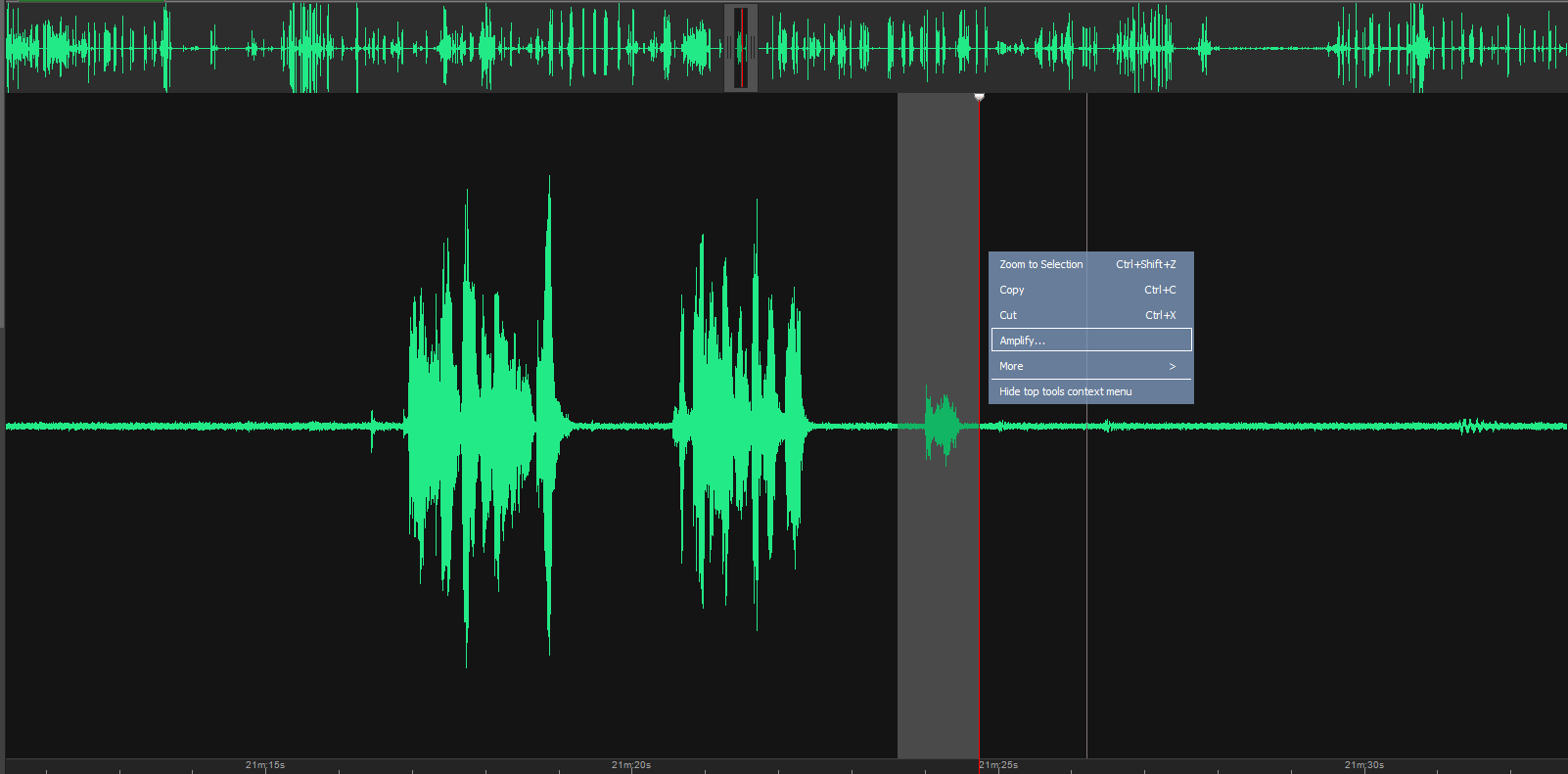
Use the selection tool to highlight the section you want to isolate and amplify. Clicking on the section will then bring up a small menu of options – choose the Amplify button.
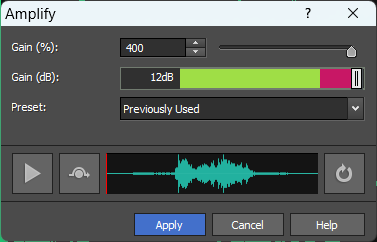
Next , a smaller screen will pop up. It is here that you will adjust your volume for this section only. If it is low, you’ll be safe in raising it to the highest level it will go to. When you’re done, hit “Apply”.
Next, return to your Wavepad main screen. You will see that the volume of the investigator’s questions has not changed, but the response itself has been amplified.
Listen to your clip again, and you will find the investigator’s voice is as loud as before, and the response (if in fact it is a response) is now louder and (hopefully) clearer than before. Because the overall volume of the recording has not increased, you can save your hearing. If you’re an old guy like me you’ll want to do whatever you can to preserve that hearing.
Isolating sound clips or segments is a good way to improve your review of EVP. WavePad Sound Editor and other leading sound editing applications offer a range of tools and features to streamline the process.
If you follow the techniques outlined in this blog post, you can successfully extract and enhance specific segments. This will improve your review of EVP material. With practice you will develop the skill to isolate sound clips and this will become easier as you go along. Good luck!